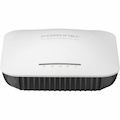
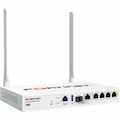
- General Information
- Manufacturer
- TP-LINK Technologies Co., Ltd
- Manufacturer Website Address
- http://www.tp-link.com.au
- Brand Name
- TP-Link
- Product Line
- Omada
- Product Series
- EAP
- Marketing Information
- Business-Class Wi-Fi Solution
Omada provides a business-class wireless network solution that's flexible, manageable, secure, and easy-to-deploy. Featuring cloud access, Omada Cloud Controller or Omada Software Controller allow users to centrally manage the entire Omada networks in the remote site. And the intuitive Omada app makes network management incredibly convenient. Omada EAPs also feature captive portal and advanced RF management functions, which make them ideal for demanding, high-traffic environments such as campuses, hotels, malls and offices.
Highlights
Impressive Performance
Enterprise-class chipsets, 802.11ac Wi-Fi standard, MU-MIMO, Seamless Roaming, and Mesh combine to ensure outstanding performance and reliability.
Centralized Management
Omada Cloud Controller or Omada Software Controller allows users to centrally manage the entire Omada networks.
Cloud Service
Remotely manage the whole network from anywhere, at any time.
Easy to Use
No special training required to use the Omada products with the user-friendly and intuitive design.
Omada Controller
Omada provides both software controller and hardware controller to centrally manage the entire Omada networks.
Convenient, Effective Management
Cloud Management - Anywhere, Anytime
Omada Software Controller and Omada Cloud Controller allow network administrators to remotely monitor and manage the entire Omada networks. This dramatically enhances scalability and makes remote network management more convenient.
Captive Portal - Customizable Guest Authentication
Captive portal helps maintain only authorized guests to use the network, presenting devices with a convenient, user-friendly authentication method to grant Wi-Fi access. The addition of SMS and Facebook authentication simplifies the captive portal even further to simplify connectivity and boost your business.
Scheduling
Automatically reboot the access point and turn on or off the Wi-Fi at the time you set.
Client Management
Real-time monitor the clients' status, limit the clients' bandwidth and block untrusted clients to ensure a better overall network performance.
Real-Time Status Monitoring
Customized Map
The customized map feature makes managing your EAP network more convenient. You can upload floor plans and create a clear visual model that reflects your network and its coverage area.
Access Point
Provides a list of all EAPs, arranged by status, and offers real-time traffic data for each EAP, including the number of connected clients and the amount of data that each client consumes.
Statistics
The built-in data visualization tools allow you to analyze network traffic statistics for all connected APs. Graphic representations make recent client and network traffic figures easier to understand.
Client
Lists all clients, including users and guests, allowing you to view each client's basic information and statistics in real time. This includes data rate, active time, and download/upload traffic
Omada APP
Network management has never been easier with the intuitive Omada app offering powerful management tools from the palm of your hands.
- Product Type
- Wireless Access Point
- Technical Information
- Wireless LAN Standard
- IEEE 802.11ac
- Network Band
- Dual Band
- Frequency Band
- 2.40 GHz
- 5 GHz
- Total Number of Antennas
- 2
- Wireless Transmission Speed
- 1.14 Gbit/s
- MIMO Technology
- Yes
- Beamforming Technology
- Yes
- Data Encryption
- Yes
- Encryption Standard
- 64-bit WEP
- 128-bit WEP
- 152-bit WEP
- WPA
- WPA2-PSK
- WPA-ENT
- Interfaces/Ports
- Ethernet Technology
- Gigabit Ethernet
- Number of Network (RJ-45) Ports
- 4
- PoE PD Port
- Yes
- Power Description
- Power Consumption
- 9.80 W
- Physical Characteristics
- Form Factor
- Wall Plate
- Height
- 143 mm
- Width
- 86 mm
- Depth
- 20 mm
- Miscellaneous
- Environmentally Friendly
- Yes